

Bypass Google Verification On Zte Blade A73 Exclusive
That being said, I'll provide you with general information and methods that might help you bypass Google verification on your ZTE Blade A73. Please be aware that these methods may not work for all devices, and some may require technical expertise.
, there are detailed technical guides and security research reports from HardReset.info
Bypass Google Verification on ZTE Blade A73 - HardReset.info
: Software like Tenorshare 4uKey for Android can automate the removal of Google locks when connected to a computer. bypass google verification on zte blade a73 exclusive
Before performing a factory reset on your device, always remove your Google account in the settings: * Go to Settings > Accounts >
If you’ve forgotten your Google account details and legitimately own the device, I recommend:
Turn on your ZTE Blade A73, select language, and connect to Wi-Fi. That being said, I'll provide you with general
Use the physical volume button trick or accessibility shortcuts to briefly reactivate Google Assistant, go back to Settings, and .
There are several reasons why you might want to bypass Google verification on your ZTE Blade A73 Exclusive device:
For users who want complete control over their device, unlocking the bootloader and rooting the ZTE Blade A73 provides more advanced FRP removal options. However, these procedures come with significant risks and will void your warranty. Before performing a factory reset on your device,
The ZTE Blade A73 is designed to be an affordable "spearhead" for 5G entertainment.
If all software-based bypass methods fail, flashing the official stock firmware can completely reset your device and potentially remove FRP. This method is useful for fixing issues such as hang on Logo, FRP lock, and other system problems.
Use the shortcut to open Google Assistant and say, "Open YouTube." From YouTube, go to Terms of Service to open a .
Some users trigger TalkBack (hold both volume buttons) to access a hidden voice command menu, then use it to open "Google Assistant" and say "Open Settings".
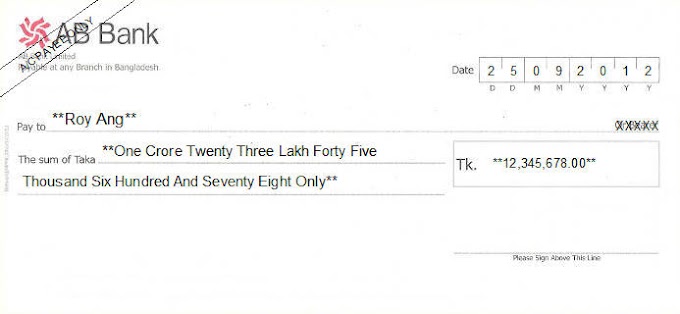



Thank you for sharing such a detailed and helpful post about the Chrysanth Cheque Writer — it's refreshing to see a free tool with so many useful features and wide country support! I especially appreciate the customization option based on user-submitted cheques. Just curious, does the software also support multi-language printing or only English formats for now?
ReplyDeletePsoriatic arthritis
Thank you, sir, for your comment. You can check yourself, please.
DeletePlease do not enter any spam link in the comment box.